UPDATE: AS OF August 2nd this bug has been fixed. If you had previously added yourself as a friend, you have now been removed. Oh well.
I had a look on google and didn't see this mentioned anywhere else before so I thought I might as well post it here.
1. If you haven't already, Thumb yourself up.
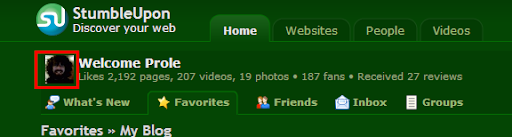
2. Hover your mouse over your photo on your page. This is your Stumble ID #. Make a note of this.
5. ?????
6. PROFIT!
Thanks to lolage for pointing this utterly pointless hack out.
I had a look on google and didn't see this mentioned anywhere else before so I thought I might as well post it here.
1. If you haven't already, Thumb yourself up.
2. Hover your mouse over your photo on your page. This is your Stumble ID #. Make a note of this.
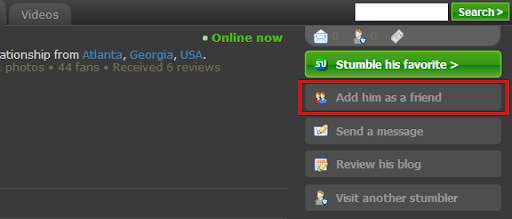
3. Go to the page of another stumbler you have not added as a friend. Right click the "Add him/her as a friend" button and copy the link location.
The link should look like the following:
Where 123456 is the ID number of the Stumbler who's page you are on. You are wanting to add yourself as a friend however, so change this number to the one you found in step one.
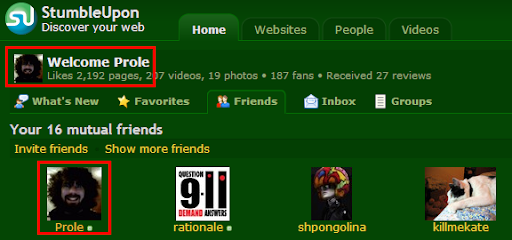
4. Paste this modified URL in your address bar and hit return. If you now go to your friends tab on your page, you will see you have added yourself.
http://www.stumbleupon.com/user.php?friend=123456&fauth=XXXXXXXXXXX.XXXXXX
Where 123456 is the ID number of the Stumbler who's page you are on. You are wanting to add yourself as a friend however, so change this number to the one you found in step one.
4. Paste this modified URL in your address bar and hit return. If you now go to your friends tab on your page, you will see you have added yourself.
5. ?????
6. PROFIT!
Thanks to lolage for pointing this utterly pointless hack out.
